What Cloud Storage Actually Costs per Terabyte, and Who Can Read Your Files
Cloud storage pricing per terabyte: what nine providers charge a year, and which plans encrypt files so the provider cannot read them.
Ask a search engine how much cloud storage costs and you get a price page, not an answer. The number people actually want — what a full year of, say, 2 TB costs, and whether the company holding the files can read them — is scattered across a dozen plans with different capacities and billing commitments. This post lines them up, with source dates and billing assumptions so you can check the comparison against your own quote.
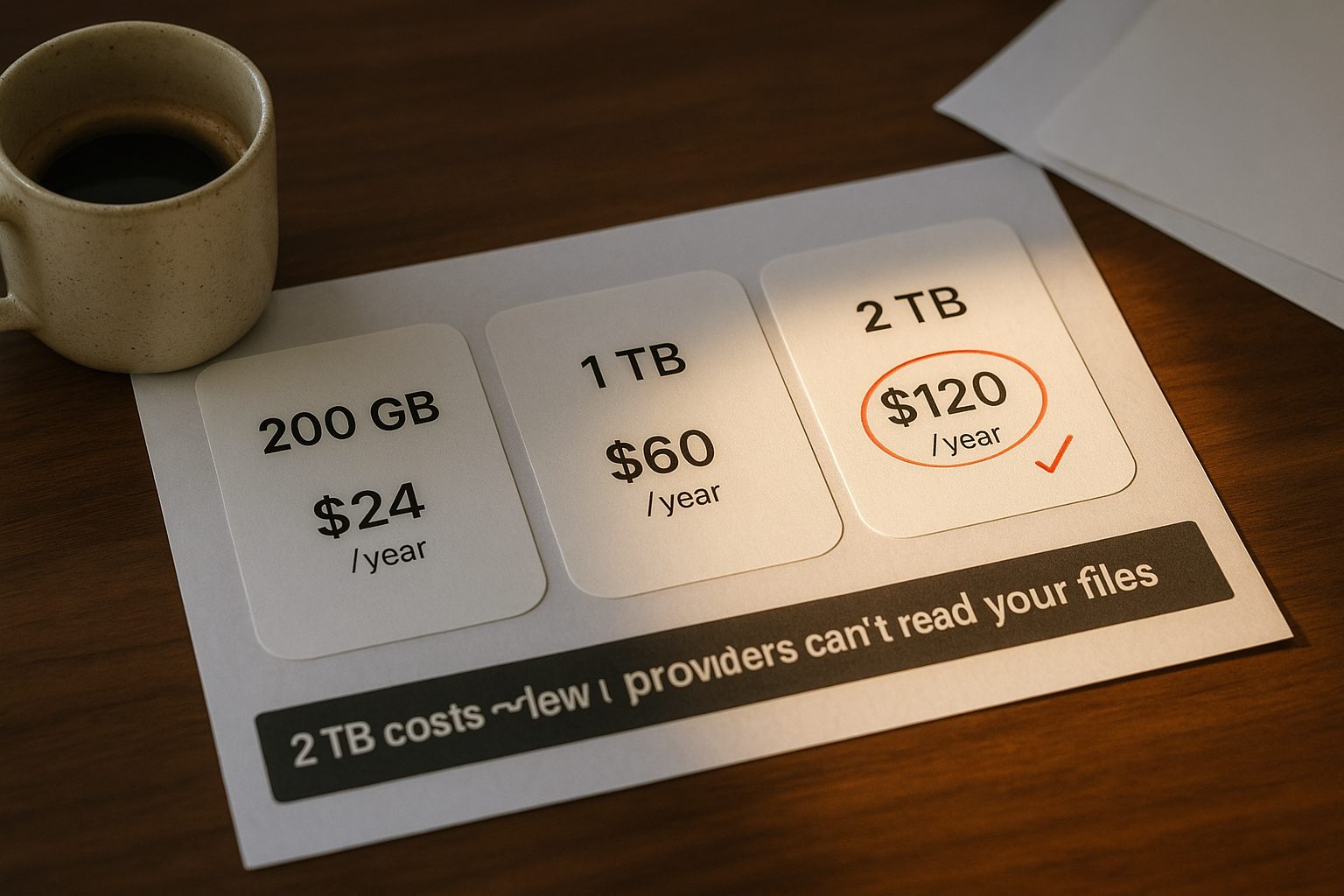
Illustration only; not a current price card or a measured security result.
Compare the annual bill first, then check whether the capacity and encryption settings fit your files. The table uses published USD prices where verified; MEGA and Box remain unpriced rather than being converted from another currency. This is a documentation comparison, not a hands-on reliability test. Check dates appear below the table; security and recovery evidence has its own dates.
| Provider | Small paid tier | Around 1 TB | 2 TB or larger alternative | Listed yearly total per advertised TB |
|---|---|---|---|---|
| Google One | Basic 100 GB — $1.99/month; $23.88 over 12 months | — | Google AI Plus 2 TB — $9.99/month; $119.88 over 12 months | $59.94 (monthly billing; annual quote unconfirmed) |
| iCloud+ | 200 GB — $2.99/month; $35.88 over 12 months | — | 2 TB — $9.99/month; $119.88 over 12 months | $59.94 (monthly billing) |
| Dropbox | — | — | Plus 2 TB — $9.99/month billed yearly ($119.88/year); $11.99 billed monthly | $59.94 (yearly billing); $71.94 over 12 monthly payments |
| Microsoft 365 | 100 GB Basic — $19.99/year | 1 TB Personal — $99.99/year | Family — $129.99/year; new subscriptions share 2 TB across up to six people (October 22 check) | $99.99 (Personal, 1 TB) |
| MEGA | Essential 200 GB, annual; Pro Lite 750 GB | — | Pro I 3 TB | Unconfirmed: no USD conversion or comparable checkout quote verified |
| pCloud | Premium 500 GB — $49.99/year | — | Premium Plus 2 TB — $99.99/year | $50.00 rounded (2 TB, yearly billing) |
| Sync.com | No sub-1 TB offer shown on checked page | Personal 1 TB — $108 first year; regular $144/year | Solo 5 TB — $252 first year; regular $336/year | $50.40 first year; $67.20 regular (5 TB, annual billing) |
| Proton Drive | Drive Plus 200 GB — $47.88/year | Unlimited 500 GB (below 1 TB) — $119.88/year | Duo 2 TB, up to 2 users — $179.88/year | $89.94 (Duo, yearly billing) |
| Box | Personal Pro 100 GB; USD quote unconfirmed | — | — | Unconfirmed: page rendered EUR, not a comparable USD quote |
Source dates: Microsoft Family price and capacity checked October 22, 2026; pCloud billing options checked October 19, 2026; Dropbox and Proton billing options checked October 18, 2026; Google and Sync pricing checked October 17, 2026; other pricing September 29, except MEGA capacity September 20. A check that returns missing amounts is recorded as unconfirmed, not as a current price. “Per TB” divides the listed comparison plan’s annual total by its advertised TB capacity, not necessarily the service’s largest plan. Monthly-only prices are multiplied by twelve; family capacity may not be pooled. Dollar figures are USD. No exchange-rate conversion is applied to MEGA, pCloud or Box. Prices and policies change. Sources: Google One plans, iCloud+ pricing, Dropbox plans, Microsoft 365 plans, MEGA pricing, pCloud pricing, Sync.com individual pricing, Proton Drive pricing, Box individual pricing.
Billing details that change the comparison
The table’s annual totals are not all annual subscriptions. Monthly prices multiplied by twelve assume the rate stays unchanged; yearly billing commits to a year. Public quotes do not establish checkout tax, account-specific offers or future renewal prices.
- Google and Apple: Google’s October 17 check confirmed the displayed monthly prices, but no tier-specific annual total. Do not apply its advertised “up to 16%” saving to a particular plan without a quote. Google capacity includes the free 15 GB and is shared across Drive, Gmail and Photos. Apple’s September 29 US check confirmed the monthly prices shown above.
- Microsoft: Basic and Personal retain September 29 price checks. The Family product page, checked October 22, lists $129.99/year or $12.99/month and 2 TB shared by up to six people. Older subscriptions may still have individual allowances; see the transition note below.
- Dropbox: October 18’s billing-selector check confirmed $9.99/month equivalent billed yearly versus $11.99 billed monthly. Twelve monthly payments total $143.88, or $24 more than the $119.88 annual commitment. The yearly option is not twelve $9.99 payments.
- Proton: October 18’s USD selector check confirmed annual totals of $47.88 for Drive Plus, $119.88 for Unlimited and $179.88 for Duo. Monthly alternatives were $4.99, $12.99 and $19.99, respectively: $59.88, $155.88 and $239.88 over twelve payments. Duo’s two-user allowance does not double its 2 TB; its yearly cost is $89.94 per TB versus $119.94 with monthly payments.
- Sync: October 17’s offer was 25% off the first year, followed by regular pricing. Monthly billing instead started at $12 for 1 TB or $24 for 5 TB. A hypothetical two-year budget using the displayed regular renewal rate is $108 + $144 = $252 for 1 TB, or $252 + $336 = $588 for 5 TB. These are scenarios, not guaranteed renewal bills. No sub-1 TB offer appeared on the checked page; existing-account terms may differ.
- Unconfirmed quotes: MEGA’s capacities come from its September 20 public plan feed, not a verified USD checkout. Box’s September 29 page showed EUR and confirmed Personal Pro’s 100 GB capacity and 5 GB individual-file limit. Neither has a comparable verified USD price here. Do not rank either on an inferred unit cost.
pCloud’s October 19 annual, monthly and lifetime comparison appears below. The linked provider pages in the table are the sources for these checks; no new price verification is implied by this editorial consolidation.
What will leave your account in the first year?
| Plan / price check | Billing basis used | First-year list-price total | Capacity usable by one person |
|---|---|---|---|
| Google AI Plus 2 TB (October 17) | Twelve $9.99 monthly payments | $119.88 | 2 TB, less any storage used by others sharing the plan |
| iCloud+ 2 TB (September 29) | Twelve $9.99 monthly payments | $119.88 | 2 TB, less any family usage |
| Dropbox Plus 2 TB (October 18) | Yearly billing at $9.99/month equivalent | $119.88 | 2 TB for one person |
| Dropbox Plus 2 TB (October 18) | Twelve $11.99 monthly payments | $143.88 | 2 TB for one person |
| Microsoft 365 Personal (September 29) | One annual payment | $99.99 | 1 TB |
| Microsoft 365 Family (October 22) | One annual payment | $129.99 | New subscriptions: 2 TB shared; up to six people |
These totals answer different commitment questions. The monthly rows assume the displayed rate stays unchanged for twelve payments; they are not prepaid annual offers. Microsoft’s annual prices buy a year up front. A hypothetical household with two people needing 800 GB each fits either a shared 2 TB allowance or two separate 1 TB allowances. One person needing 1.6 TB would exceed an older individual 1 TB allowance, but could fit within a shared 2 TB pool if the other members use no more than the remaining capacity. Check your actual allocation before dividing the household bill.
Microsoft Family transition, checked October 22, 2026: Microsoft’s storage-quota table distinguishes older 1 TB-per-person plans from new subscriptions starting October 7, 2026 with 2 TB shared. Its existing-subscriber renewal date is April 1, 2027, while the dedicated storage-change guidance says the first renewal on or after May 2, 2027, with some plan changes taking effect earlier. These official dates conflict: use your account notice to establish when your allocation changes. Shared capacity does not make everyone’s files visible to other members. No account migration was tested.
Keep a quote record with the provider and exact plan name, account country, currency, date, amount due today, billing interval, renewal amount, tax, per-person capacity and required add-ons. Save the checkout terms before paying. If the annual total or renewal amount is unavailable, leave it unconfirmed and compare the monthly option separately. This makes the table reproducible without pretending that every reader receives the same offer.
Calculate the bill before ranking the terabytes
The denominator can make an oversized plan look cheap. As a hypothetical example, a $252 annual plan with 5 TB costs $50.40 per advertised TB. If you need only 500 GB, the bill is still $252, and dividing by the 0.5 TB actually needed gives $504. That second number is not a vendor tariff; it exposes unused capacity. Compare the smallest suitable plan’s total before comparing its unit price.
Use the same currency, tax treatment and billing commitment in every row. A monthly price multiplied by twelve is a year of monthly payments, not an annual-contract quote. A family total is usable only to the extent that the individual allowances fit each person’s files. None of these adjustments requires assuming that the cheapest headline terabyte is the best purchase.
The biggest distortion in the table is bundling. Microsoft’s terabyte of OneDrive is sold as Microsoft 365 Personal, which is really an Office subscription with storage stapled on; you cannot buy the terabyte alone, so its honest per-TB price hides inside $99.99 of mostly-software. Proton Unlimited does the same thing from the other direction — 500 GB is bundled with email, a VPN and a password manager, so its per-terabyte number only means something if you were already paying for those. Where storage is bundled, the price you think you are paying for storage is actually the price of the whole package.
Price alone does not describe who can decrypt the stored files. “Zero-knowledge” means files are encrypted on your device before they upload, and only you hold the key — so the provider should not possess the key needed to decrypt protected file contents. This does not make account metadata, shared copies or compromised devices disappear. MEGA and Proton Drive describe client-side protection; Sync describes core storage as end-to-end encrypted by default, with recovery and optional-feature exceptions. The “only you” part has a catch on one of them: Sync’s email-based password reset, which its help centre says is “enabled by default on all paid plans”, gives “Sync’s automated systems temporary access to your account encryption key” (details in the recovery table below). For pCloud, the Encryption add-on protects files placed in its Crypto folder; buying it does not retroactively protect every ordinary folder.
| Provider | Zero-knowledge (who holds the keys) | Monthly vs annual | Family / shared | Lifetime deal |
|---|---|---|---|---|
| Google One | No — Google holds keys | Annual option shown; tier-specific total unconfirmed October 17 | Yes (up to 5) | No |
| iCloud+ | No (default); E2EE opt-in via ADP | Monthly only | Yes (up to 5) | No |
| Dropbox Plus | No E2EE entitlement in current plan table | $119.88/year or $143.88 over 12 monthly payments (October 18) | Family: shared 2 TB, up to 6 users; current price unconfirmed | No |
| Microsoft 365 | No — Microsoft holds keys | Personal: $9.99/month or $99.99/year (September 29) | Family: new subscriptions share 2 TB; older allocations vary (October 22) | No |
| MEGA | Yes — client-side, only you | Billed yearly option | No | No |
| pCloud | Client-side encryption for Crypto-folder files with add-on | 2 TB: $99.99/year or $9.99/month | Family plan | October 19 USD offers: $219 / $499 / $1,499 for 500 GB / 2 TB / 10 TB |
| Sync.com | Core storage E2EE by default; recovery and feature exceptions below | First-year offer and regular rates differ; see pricing table | Individual plans checked are single-user | No |
| Proton Drive | Provider lists E2EE for Free and included in paid tiers | Yearly and monthly USD rates verified October 18; see above | Duo: up to 2 users; Family: up to 6 | No |
| Box | Box-managed encryption at rest; see October 2 sources below | USD amounts and discount unconfirmed | Personal Pro is single-user | No |
September 29 feature checks: Dropbox Plus excludes E2EE in its comparison table; Dropbox’s encrypted team folders page (checked October 1) says end-to-end encryption “is available for teams on Dropbox Business Plus, Advanced, and Enterprise” and does not mention Plus or Family. Sync and Proton describe their own E2EE features; these are provider statements, not independent security tests. Dropbox Family capacity and user count were reconfirmed. The remaining security cells were re-sourced on October 1, 2026 in the recovery table below; the key-holder labels above were left as they were because none of the sources contradicted them. No provider-wide guarantee is implied.
For iCloud Drive, the default and opt-in settings differ: Apple’s security overview says Advanced Data Protection keeps the relevant keys on trusted devices. Some metadata and sharing modes remain exceptions. Check availability for your account and region before treating this as part of a buying decision. The table is about the named consumer plans and settings, not every enterprise option a company sells.
Who can get you back in, and what sharing exposes
Security-source audit checked October 1, 2026: the key-holder column above was first filled on September 17 and only partly re-checked since. Each provider’s own help or security page was reopened for two questions the price pages never answer: what happens to the files if the password is lost, and which sharing or scope exceptions sit outside the encryption claim. The recovery conditions qualify the short key-holder labels; those labels alone cannot establish whether a locked-out user can recover files. Sync’s default recovery setting gives its systems temporary key access, which the earlier “only you” framing did not say. Apple’s exceptions are broader than “some metadata”: with Advanced Data Protection on, iCloud Mail, Contacts and Calendar stay standard-encrypted, and Shared Albums, iWork collaboration and “anyone with the link” sharing are not end-to-end encrypted. The former pCloud help article on a forgotten Crypto Pass now redirects to its help hub, so the deletion statement is taken from the desktop settings page instead.
| Provider | If the password or key is lost | Sharing and scope exceptions the provider states | Source |
|---|---|---|---|
| Google One | Google asks you to verify account ownership before resetting a forgotten password; successful recovery is not guaranteed | Client-side encryption for Drive requires a Workspace account and an administrator to enable it; no consumer equivalent is listed | Drive client-side encryption, Google account recovery (recovery checked October 2) |
| iCloud+ | With Advanced Data Protection on, Apple “doesn’t have the encryption keys needed to help you recover your end-to-end encrypted data”; you must set up a recovery contact or recovery key before enabling it | iCloud Mail, Contacts and Calendar are not end-to-end encrypted; Shared Albums, iWork collaboration and “anyone with the link” sharing are “not end-to-end encrypted, even when Advanced Data Protection is enabled”; iCloud.com web access is off by default under ADP | Advanced Data Protection, iCloud data security |
| Dropbox Plus / Family | Password-recovery outcome not verified from the linked encryption page; do not infer recoverability from key custody | End-to-end encryption exists only as encrypted team folders on Business Plus, Advanced and Enterprise; even there “metadata remains visible in plain text” and shared links, previews and the mobile app are unsupported | Encrypted team folders |
| Microsoft 365 | Password reset requires identity verification using a code. If verification options are unavailable, use Microsoft’s Sign-in Helper; the recovery form does not bypass two-step verification when all alternate verification methods are inaccessible | Personal Vault adds a second identity step and auto-lock (20 minutes on the web, 3 on mobile) and BitLocker on a Windows PC; the page does not claim Microsoft cannot read the files; without a subscription the vault holds three files | Password reset, Recovery form limits (recovery checked October 9), How OneDrive safeguards data, Personal Vault |
| MEGA | A signed-in device can change the password without the current one. Otherwise check for a saved password or use the recovery key; MEGA also documents contacting support if you remember an older password. Starting over is not recovery of existing files | “When you share a link, by default the decryption key is sent along with it”; password-protected and expiring links are optional | Forgotten password, Recovery key, MEGA security (checked October 9) |
| pCloud | Account login has an email-based password reset; pCloud explicitly excludes the Crypto Folder password from that route. The desktop Crypto Pass reset deletes encrypted files | Only files placed in the Crypto folder are client-side encrypted; the add-on page lists a lifetime Encryption price of $150 (struck from $229) on this check | Encryption add-on, pCloud Drive settings, Account settings (recovery checked October 8; add-on scope/price October 1) |
| Sync.com | Email reset is on by default for paid plans and gives automated systems temporary key access; confirm the desktop-app recovery alternative before disabling it | Core storage is E2EE by default. Some optional features process selected files server-side when used; some plans may require email recovery | Email reset settings, Terms §17 (checked October 8) |
| Proton Drive | Email or SMS can reset the password but cannot by themselves unlock prior data. The recovery phrase supports both; a recovery file or device data backup supplies data recovery alongside a password-reset method. A supported signed-in reset preserves data access | File contents and names are encrypted; shared links can be password-protected and given an expiry. The recovery phrase is not the only recovery route | Recovery methods (rechecked October 2), Drive security |
| Box | Recovery outcome not established by the encryption documentation; Box confirms encryption at rest for Personal as well as Enterprise accounts | KeySafe is customer-managed key control, not a blanket claim that Box cannot decrypt content. Its documentation says search indexes and metadata use Box-managed keys, and disabling KeySafe returns files to standard Box keys | Data encryption, About KeySafe (checked October 2) |
The original security-source check was October 1, 2026; Google recovery, Proton recovery and the two Box sources were checked October 2. Sync recovery and feature exceptions, and pCloud account/Crypto reset documentation, were checked October 8; Microsoft account-recovery documentation and MEGA recovery/sharing sources were checked October 9; other claims retain their earlier dates. These are documented mechanisms, not hands-on recovery tests or guarantees that every locked account can be restored.
MEGA recovery clarification, October 9, 2026: the security overview presents the recovery key as the only route, but the more detailed forgotten-password guide documents alternatives. Keep any signed-in device available: it lets you change the password without entering the old one. If no device is signed in, check your saved passwords before using the recovery key. If you remember a previous password, the guide says to contact support with the date you last used it, never the password itself. With no signed-in device, key or remembered password, its remaining route is to reset the account and start over. Do not confuse that with restoring access to existing files. This corrects the earlier table’s absolute claim; it is a documentation check, not a recovery test or a new pricing check.
Microsoft recovery clarification, October 9, 2026: the reset instructions require proof of identity before a new password can be set. The recovery-form guidance says support cannot help when two-step verification is enabled and none of the alternate verification methods is accessible. Support agents cannot change account details or send reset links to bypass that restriction. Before relying on OneDrive, check that your verification methods remain accessible independently of a lost device. This verifies the login-recovery conditions, not file retention or a successful recovery test; Personal Vault and pricing were not rechecked today.
pCloud recovery clarification, October 8, 2026: an account-password reset and a Crypto Pass reset have different consequences. The account guide sends login recovery through your registered email, including the associated email for a Facebook, Google or Apple registration. That route does not recover the Crypto Folder password. The desktop guide lists Crypto Pass reset as deleting encrypted files. Do not use that reset to test whether your existing encrypted files are recoverable; first check that you have an independently readable backup. This check verifies the documented distinction, not successful recovery of a particular account.
Sync scope clarification, October 8, 2026: Terms §17 distinguishes core storage from optional server processing. A preview requiring that processing affects the selected file when opened, not every stored file. Review Privacy Center features as well as password recovery. Disabling email recovery deletes the escrowed key and removes Sync-assisted recovery; some plans may not allow that choice. The earlier table treated disabling recovery as universally available and omitted feature exceptions. This check does not establish which settings are enabled in your account.
Correction, October 2, 2026: the earlier version inferred loss-free account recovery from provider-held encryption keys. That inference did not establish the identity checks or account conditions needed to get back in. It also reduced Proton recovery to possession of a key or phrase, omitting its documented alternative recovery methods. The table now separates login recovery from access to encrypted data, and replaces the previously unavailable Box citation with working documentation.
Before choosing a plan, record two separate answers: how you would regain the login, and how you would decrypt existing files afterward. For Proton, email or SMS recovery needs a separate data-recovery method; the recovery phrase covers both. Sync’s paid-plan email-reset default allows temporary system access to the encryption key; where the plan permits disabling it, that changes the recovery options, so check the desktop-app route first. For MEGA and pCloud Crypto, read the recovery-key and Crypto Pass conditions before relying on either as your only copy.
A useful preparation record contains the enabled recovery method, the location of its backup, access to any recovery email or device, and an independently readable copy of irreplaceable files. Check the record without deliberately locking yourself out or resetting a live encrypted account as an experiment. Provider-held keys do not remove identity-verification requirements, and end-to-end encryption does not mean every password-reset method preserves access to old files.

Illustration only; not a current price card or a measured security result.
Encryption needs a practical check as well as a label. Try recovering a harmless file on a second device, inspect what a shared link exposes, and establish how account recovery works before moving your only copy. This article has not benchmarked search speed or collaboration across these services. The same distinction between default protection and optional settings matters when comparing messaging app encryption.
Then there is how you pay. Microsoft Personal at $9.99/month totals $119.88 over twelve payments; its $99.99 annual option saves $19.89, about 16.6%, if those are the applicable quotes. That saving requires paying upfront: consider the annual commitment against how long you expect to need the service. Apple lists iCloud+ as monthly billing. Do not apply a discount percentage from another provider or plan to an unverified quote.
Family plans flip the per-person math. Dropbox Family shares 2 TB among up to six people, but this check could not verify its current price, so it cannot establish a saving over separate plans. For the new Microsoft Family offer, $129.99 divided among six people is about $21.67 each per year, but all six draw from the same 2 TB pool. Equal bill splitting does not provide 1 TB each. Apple simply lets every iCloud+ plan be shared with up to five family members at no extra cost. If more than one person in your house needs storage, the family tier changes the ranking completely.

Illustration only; not a current price card or a measured security result.
A lifetime offer is a different calculation
pCloud’s pricing page, checked October 19, 2026 in USD, lists 2 TB at $99.99 with Annual selected, $9.99 with Monthly selected, and $499 with Lifetime selected. Annual billing saves $19.89 against twelve unchanged monthly payments ($119.88). The 500 GB annual quote is $49.99; 10 TB is $299.99. Lifetime quotes are $219, $499 and $1,499 for 500 GB, 2 TB and 10 TB respectively. These public storage quotes exclude the separately priced Encryption add-on; no purchase or account-specific renewal was verified.
To compare a lifetime offer with a subscription, use a current annual quote in the same currency, then divide the upfront payment by that quote. That gives a simple break-even duration before considering the value of keeping your cash, add-ons, future price changes or whether you will still need the service. For the checked 2 TB quotes, $499 ÷ $99.99 is about 4.99 years: five unchanged annual payments total $499.95, only $0.95 more than paying upfront. That arithmetic is not a guarantee of service longevity or future renewal prices. A lifetime price alone cannot establish that a plan is cheaper than its alternatives.
All of this only matters because of what the free tier does first. If you are still deciding whether to pay at all, start with how much cloud storage costs before you pay anything — the free tiers line up very differently from the paid ones, and check whether the free allowance fits your actual files. This post answers the next question that one raises.
Choose a shortlist by requirements, then obtain comparable quotes. If you already pay for a software bundle, check its unused storage before adding another bill. For Microsoft Family, establish whether your account has individual allowances or the newer shared pool, then compare the whole household’s usage with that capacity. If provider-held decryption keys are the concern, check the protected folder, recovery method and sharing exceptions rather than treating a brand as an all-or-nothing privacy guarantee.
Storage capacity is only one purchase constraint. Box Personal Pro’s confirmed 5 GB upload limit, for example, makes it unsuitable for a single 8 GB file even when 100 GB of total capacity would be enough. That is a concrete reason to reject a plan for a particular workload; an unverified unit price is not.
Confidentiality also depends on the files and how they are shared. A public document may still sit beside private drafts or account metadata. Decide which material needs protection, then check key ownership, sharing settings and recovery. A storage price table cannot establish reliability or certify that a service is safe for every use.
The useful answer to “how much does cloud storage cost” is the total for a plan that fits your files and users, in your checkout currency. Record capacity, annual cash outlay, renewal terms, encryption scope and recovery steps together. The unit price can then help compare suitable plans without disguising unused space, separate family allowances or an upfront commitment as a bargain.
Related reading
Cloud Backup Is Not Sync: What a Real Backup Costs and Who Holds the Keys
Six backup services compared on price, encryption, version history and restore — and why a synced folder is not a backup.
Encrypted Note Apps Compared: Who Can Read Your Notes, and What Each Plan Costs
Which note apps are end-to-end encrypted, what each paid plan costs, and how you get your notes back out — five apps checked against their own pages.
Password Managers Compared — Free Limits, Annual Price, and Who Can Read Your Vault
Seven password managers compared on free limits, annual price, zero-knowledge encryption, and export, checked against each vendor's own pages.
Who Holds the Keys to Your Email Inbox
Most email is encrypted in transit, but only some providers cannot read your inbox. Seven services compared on price, storage and who holds the keys.